AI Scoring
Every job is automatically scored against your career profile, so you can focus on the best matches.
How Scoring Works
When new jobs are found, they're scored in batches of 10 by an AI agent. The agent evaluates each job against:
- Your career drivers and values
- Your work style preferences
- Your skills and experience
- Your risk appetite
Each job gets a fit level:
| Fit | Color | Meaning |
|---|---|---|
| High | 🟢 Green | Strong match — prioritize |
| Medium | 🟡 Yellow | Decent match — worth reviewing |
| Low | 🔴 Red | Weak match — likely to skip |
| Skip | ⚪ Grey | Not a fit — ignore |
| Unscored | — | Not yet evaluated |
Viewing Scores
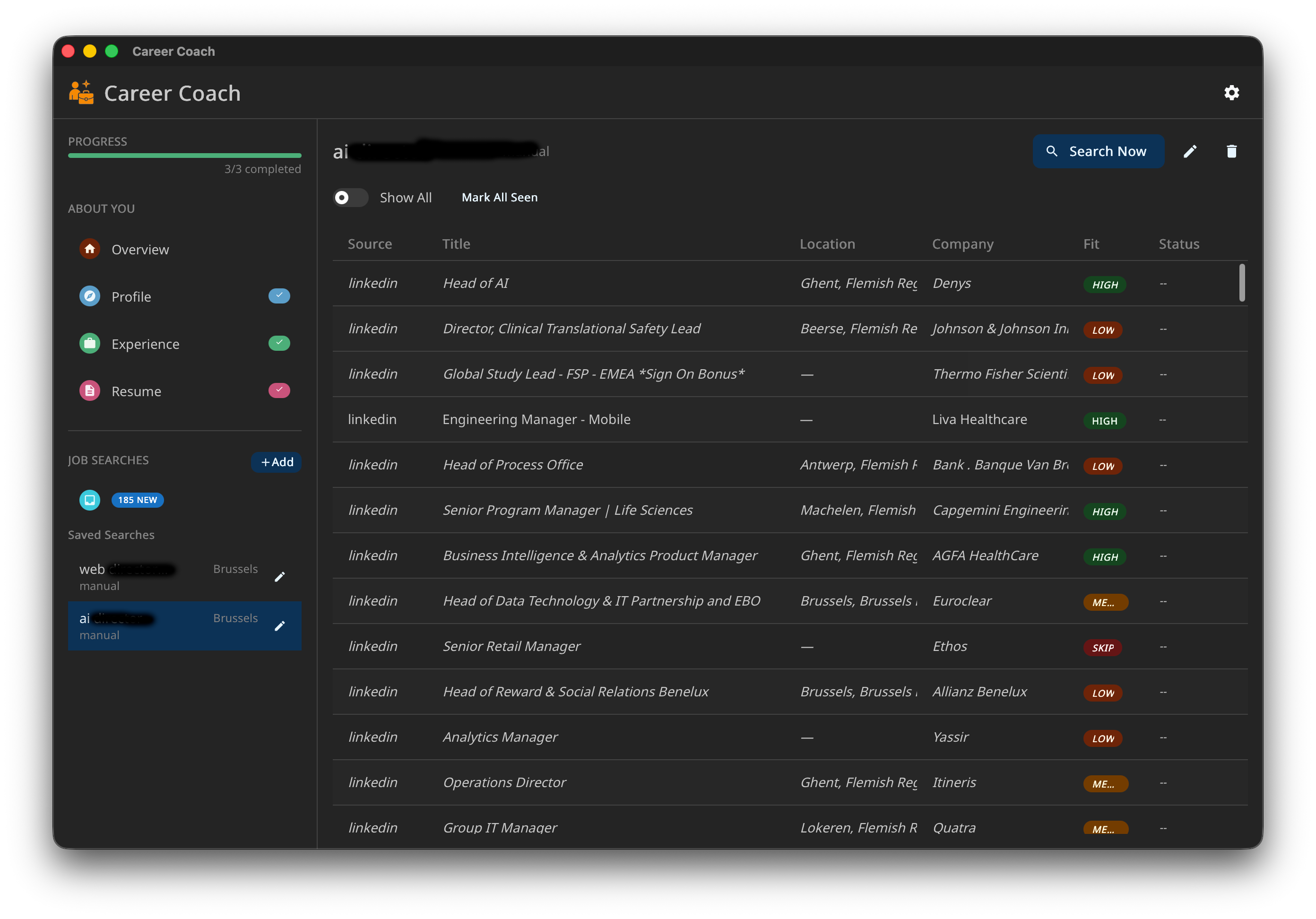
Scores appear in the results table as color-coded badges. You can sort by score to bring the best matches to the top.
Prerequisites
Scoring requires a career profile. If you haven't built one yet, the Profile Coach will guide you through defining your drivers, values, and work style. Once your profile is complete, new jobs will be scored automatically.
Without a profile, jobs remain unscored and you'll see a prompt to build one.
Manual Re-scoring
If you update your career profile, previously scored jobs are not automatically re-scored. New jobs will reflect your updated profile. This is intentional to avoid unnecessary API costs.
What Happens on Failure
If scoring fails for a batch (API error, rate limit, etc.), the failure is logged and the remaining batches continue. Failed batches remain unscored — run the search again to retry.