Resume & Cover Letter
Generate ATS-optimized, human-authentic resumes and cover letters tailored to every job.
Prerequisites
Before generating documents, you need:
- A career profile — Your drivers, values, work style, and Colors/DISC type. Build it →
- Work experiences — Your past roles with achievements and skills, structured with STAR + RACI. Enter them →
- A reference resume — A comprehensive "kitchen-sink" resume with all your experience. Build it →
- Company research — Generated per-job. Learn more →
The Generation Pipeline
Documents are created by a multi-agent pipeline that iterates and refines:
Writer → Scorer → Reviewer → (repeat up to 5×)Writer
Produces the initial draft by combining your base resume, work experiences, career profile, and company research. The Writer tailors your experience to match the job description.
Scorer
Evaluates the draft for ATS compatibility. Checks keyword density, formatting, section structure, and whether the document would pass automated screening. Target: 85%+.
Reviewer
Evaluates for human authenticity. Detects AI-generated phrasing, unnatural language, and "AI tells" that a human recruiter would notice. Target: 80%+.
Iteration
If either score is below target, the pipeline loops — the Writer revises based on Scorer/Reviewer feedback, and the draft is re-evaluated. After 5 iterations, the best draft wins.
Generating Documents
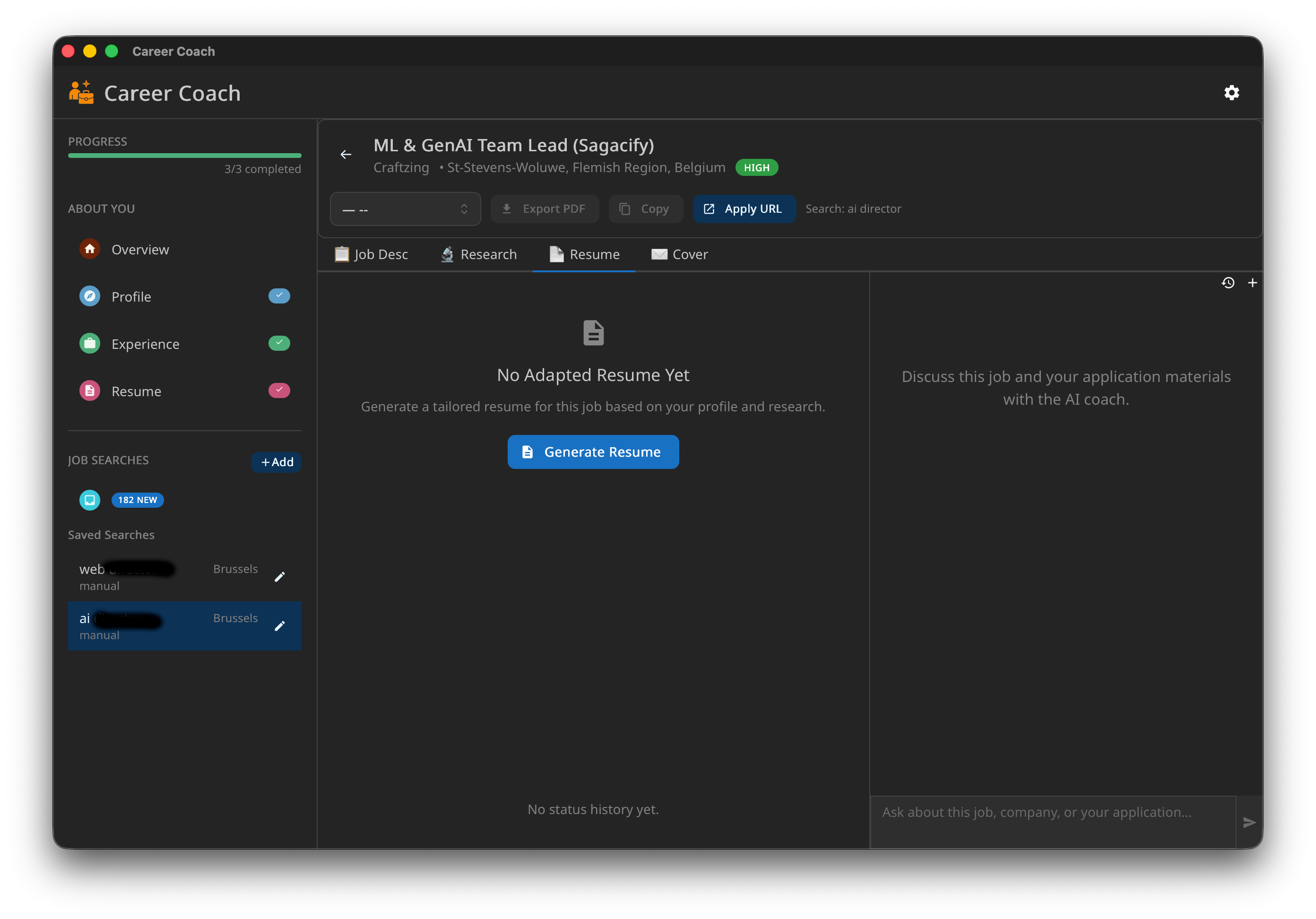
- Open a job from your results.
- Ensure company research is complete (the Research button must show a checkmark).
- Click Generate Resume or Generate Cover Letter.
- Watch the pipeline in real time — you'll see each agent's phase, score, and feedback as streaming events.
- When complete, the generated document appears in the editor.
Resume and cover letter are independent — you can generate either or both, in any order.
Editing & Refining
After generation, you can:
- Edit manually — The document is fully editable. Make any changes you want.
- Re-score — After editing, click Re-Score to see updated ATS and human scores (skips the Writer, uses Scorer + Reviewer only).
- Re-generate — Overwrite the current document with a fresh generation.
- Chat iteration — Use the chat panel to ask the AI for specific improvements ("make this more concise", "emphasize my leadership experience").
Scores Explained
| Score | Range | What It Measures |
|---|---|---|
| ATS Score | 0–100 | How well the document passes automated keyword/section screening |
| Human Score | 0–100 | How natural and human-written the document reads |
Both scores are always visible in the collapsible score panel above the editor.