Getting Started
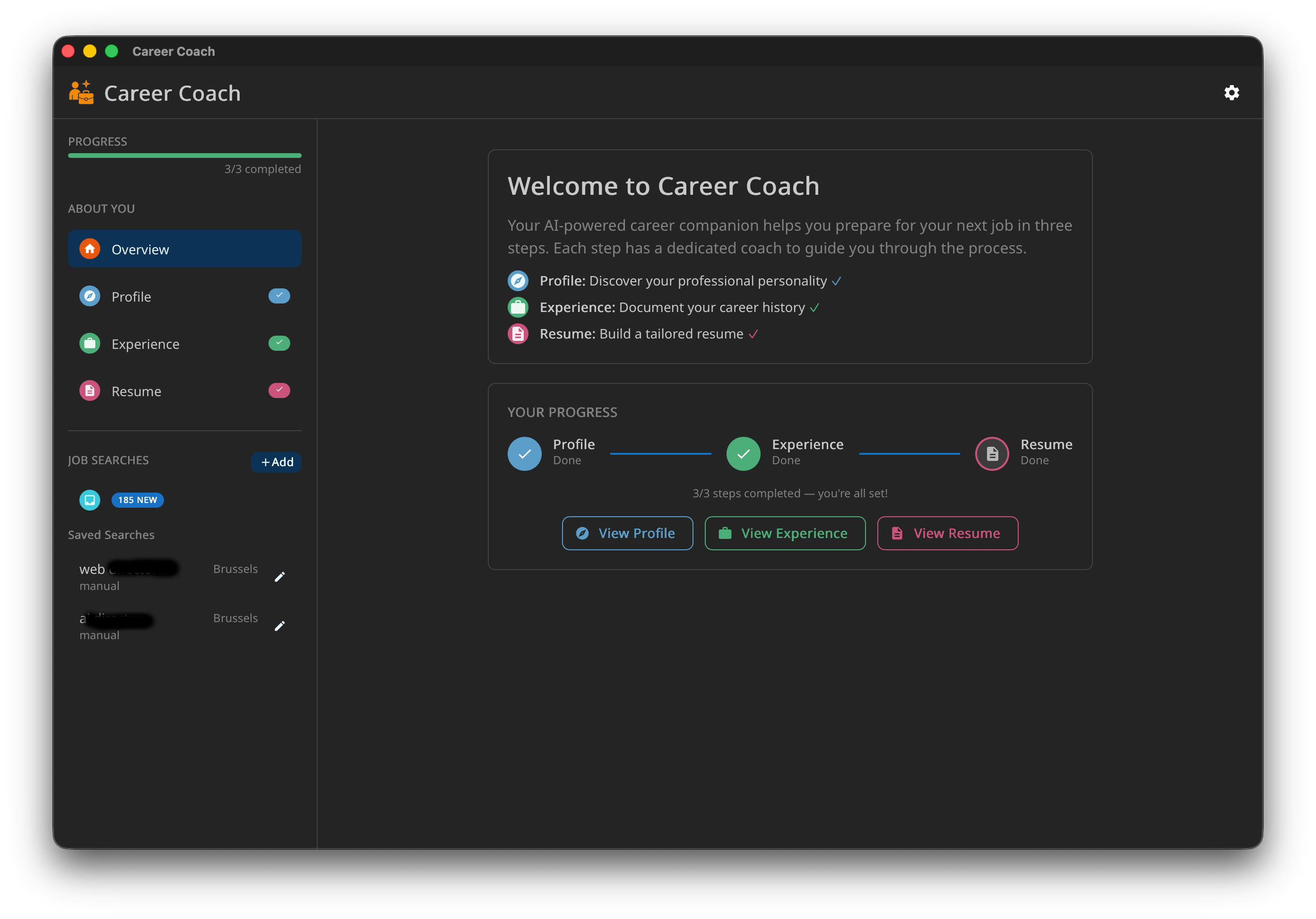
Career Coach is a desktop application that helps you find jobs, evaluate your fit, research companies, and generate tailored resumes and cover letters — all powered by AI.
Installation
Download the latest release for your platform from the GitHub releases page.
Note: The packages are not notarized — neither Apple notarization (macOS) nor Authenticode signing (Windows) is applied. Your OS will show a security warning on first launch.
macOS
- Download the
.dmgfile from the latest release. - Double-click the DMG and drag Career Coach to your Applications folder.
- Because the app is not notarized, Gatekeeper will block it on first launch. Do one of the following:
- Right-click the app in Finder → Open → click Open in the dialog.
- Or go to System Settings → Privacy & Security and click Open Anyway next to the "Career Coach" entry.
- Subsequent launches will work normally.
Windows
- Download the
.msifile from the latest release. - Double-click the MSI to install.
- On first launch, SmartScreen may show a warning because the package is unsigned. Click More info → Run anyway.
Prerequisites
- Anthropic API key: You need an API key from Anthropic (Claude). Learn how to set it up →
- Internet connection: Job searches and AI features require internet access.
The app is split into two main sections: About You (building your career foundation) and Job Searches (finding and applying). Work through them in order — everything in Job Searches depends on what you build in About You.
About You
- Build your career profile — The Profile Coach maps your Colors/DISC type, career drivers, values, and work style through a guided conversation. Learn more →
- Enter your work experience — Add past roles with achievements and skills. The Experience Coach helps you articulate each role using STAR and RACI frameworks. Learn more →
- Create your reference resume — A comprehensive "kitchen-sink" resume covering all your experience. The Resume Coach guides you through it. Learn more →
Job Searches
- Create a job search — Add a title, location, and schedule (daily, weekly, monthly, or manual). Searches scrape Indeed and LinkedIn. Learn more →
- Browse and score — New jobs are automatically scored against your career profile. Sort by fit level to focus on the best matches. Learn more →
- Research companies — One-click AI research for jobs you're interested in: overview, culture, news, key people, and market position. Learn more →
- Generate tailored documents — ATS-optimized resumes and cover letters per job, refined through a Writer → Scorer → Reviewer pipeline. Learn more →
- Track and export — Move jobs through application statuses. Export tailored documents to PDF. Learn more → · Export →