Company Research
Generate a detailed research report on any company with one click.
Generating Research
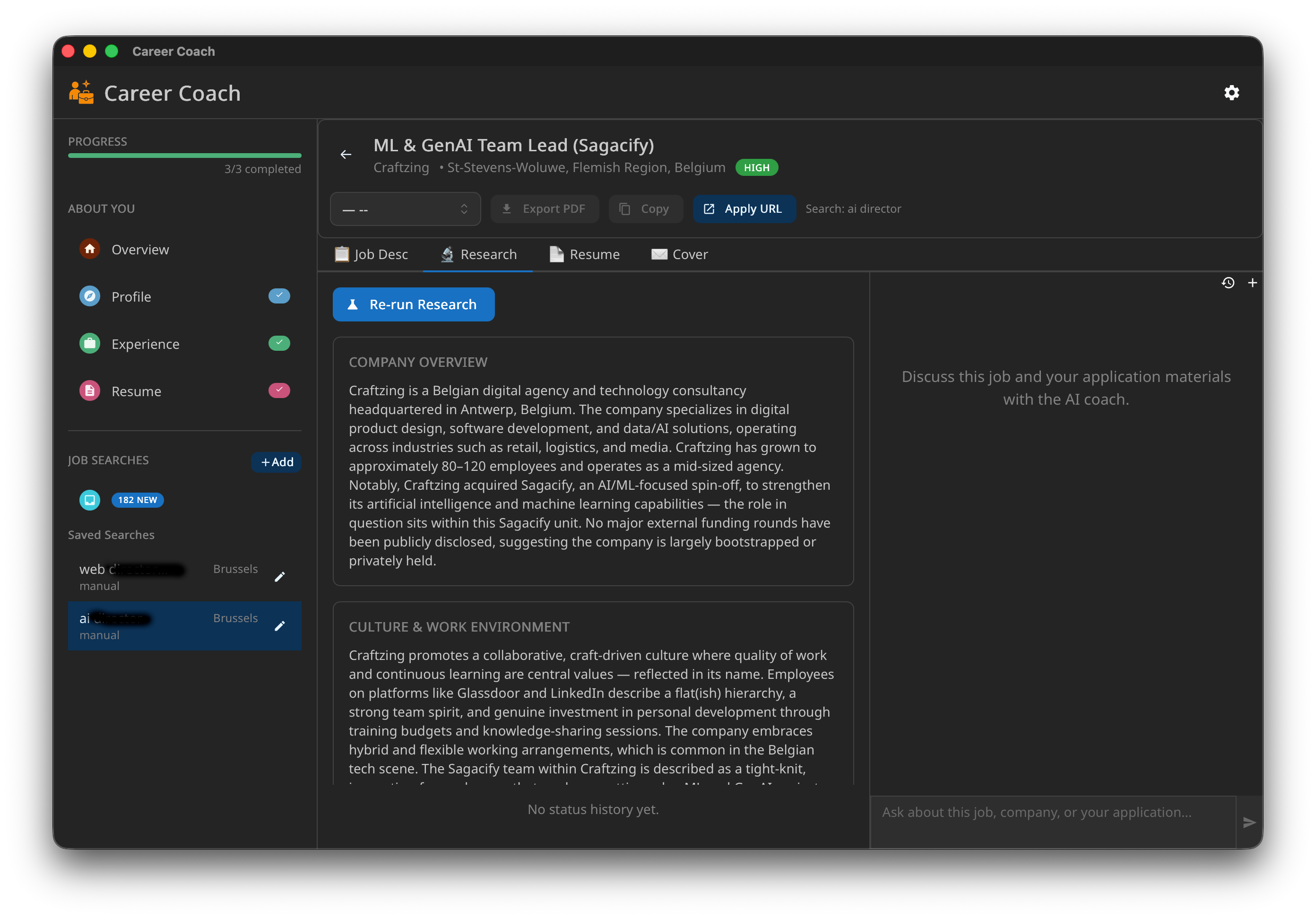
- Open a job from your results.
- Click Research Company in the job detail view.
- The AI generates a 5-section report.
Report Sections
| Section | Content |
|---|---|
| Overview | Industry, company size, funding stage, headquarters |
| Culture | Company values, work environment, employee sentiment |
| News | Recent announcements, product launches, layoffs, funding rounds |
| Key People | Leadership team, hiring manager info (when available) |
| Market | Product & market position, competitors, growth trajectory |
When to Use Research
Research is a prerequisite for resume and cover letter generation — the Writer agent uses it to tailor your documents to the company's context and values.
It's also useful on its own before an interview or when deciding whether to apply — having the company's recent news, culture, and market position at a glance helps you make informed decisions.
Important Notes
- Research is manual only — it never runs automatically. This avoids unnecessary API costs.
- Re-generating research overwrites the previous report for that job. Do this if the previous report feels stale or incomplete.
- Research is stored locally. You can view it any time by reopening the job.
- If research fails (API error, timeout), you'll see an error message. Click Research Company again to retry.